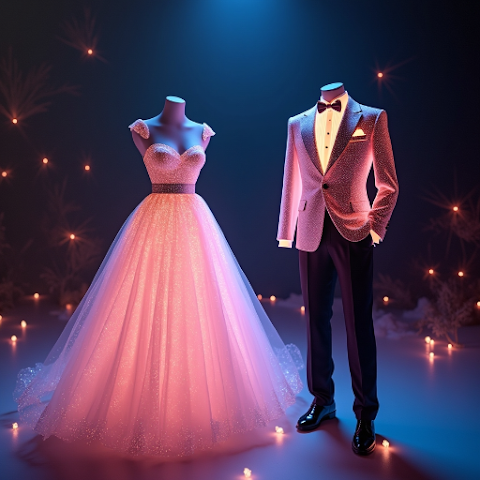
Virtual Lehenga Try-On: Preview Your Wedding Look

Try on bridal and guest lehengas virtually. Preview cholis, dupattas, embroidery and color on your own photo before booking a trial.
Virtual Lehenga Try-On: Preview Your Wedding Look
A lehenga is often the most expensive outfit a person buys in their life, yet most of us end up making the decision under fluorescent boutique lights with three relatives talking at once. Virtual lehenga try-on flips that script. Before you ever step into a showroom or click buy on an online bridal store, you can preview a full bridal, sangeet, mehendi, or guest lehenga on your own photo, from your sofa, in less than a minute. This guide walks through exactly how to use AI to preview lehenga colors, embroidery density, dupatta drape styles, and silhouettes so the final trial becomes a confirmation, not a discovery.
Why Lehenga Shopping Deserves a Preview Step
The difference between a good lehenga and a wrong lehenga is usually not the craftsmanship; it is the match between the piece and the wearer. A heavy kalidar looks stunning on a six-foot model and can swallow a smaller frame. A pastel gradient that trends on Pinterest may clash with a warm-gold mandap backdrop. AI try-on answers the questions your eyes cannot trust in a showroom mirror: does this red lean maroon or rani on my skin, is this embroidery too much for my face shape, does the dupatta on my head drown me. Getting these answers ahead of time means you walk into the boutique with a shortlist instead of a wish list.
How the AI Lehenga Try-On Works
In AI Outfit Swap, a lehenga try-on is three taps. Upload a plain full-length photo, add a lehenga image from any bridal site or Instagram page, and the app segments the choli, lehenga skirt, and dupatta separately before compositing the result on you. If you are new to the concept, our virtual dressing room guide explains the basic idea in plain language. You can stack multiple lehengas side by side, which is especially useful when shortlisting for sangeet versus reception.
Getting the Source Photo Right
For bridal outfits, lighting and pose matter more than for everyday wear. Stand in soft daylight, keep your arms slightly away from your body, tie your hair back the way you plan to on the wedding day, and wear close-fitting basics so the AI sees your actual silhouette. Our posing guide for virtual try-on covers the exact stances that give the cleanest renders. If this is your first time, download AI Outfit Swap and practice with a daytime casual photo before you commit to bridal shortlisting.
Lehenga Styles That Render Exceptionally Well
The AI handles A-line, kalidar, mermaid, flared, and panel lehengas very well because the skirt outline is consistent. Embroidery-heavy bridal lehengas in maroon, red, and emerald render beautifully thanks to strong contrast. Pastel pinks, ivories, and champagnes need better lighting in your base photo because the engine has less color signal to lock onto. Mirror-work and heavy sequins may smooth slightly, but border motifs and zari patterns are preserved. For a comparison between lehengas and other bridal silhouettes, pair this with our wedding dress AI try-on guide.
Dupatta Styling Tests You Can Run Virtually
Most brides change their mind at least twice about dupatta styling. AI try-on lets you compare single-dupatta on the head, double dupatta with one on the head and one on the arm, or front-pleated styles, without pinning anything. Because the preview is fast, you can also screenshot three styles and send them to your makeup artist and photographer for angle planning. For sangeet and mehendi outfits specifically, try lighter sarees as an alternate silhouette and let the family vote.
Color Psychology: Let AI Settle the Debate
Is it red or is it maroon? Is pastel peach or pastel lavender more you? Instead of arguing, render both on the same photo and compare. You will see immediately which color brings out your eyes and which one fades into the background. This is the same logic behind all modern virtual try-on tools; our piece on virtual try-on technology breaks down why color previews are the most accurate part of the process.
Sharing, Saving, and Shortlisting
Save each render to a favorites folder, name them (sangeet option 1, reception option 2), and share to your mom, sister, or stylist. For a deeper sharing workflow, see how to save and share your try-on results. When you are ready to shop, you can walk into the boutique with three confirmed favorites, which cuts trial time dramatically. Install AI Outfit Swap now on Google Play or the App Store.
Can I preview a custom-tailored lehenga design?
Yes. Upload the designer sketch or sample fabric photo as the garment source. Clean flat-lay images work best.
Does AI handle layered dupattas?
Single dupatta renders are cleanest. For double dupatta looks, run two passes and mentally combine, or pick the primary drape style.
Is this accurate enough for a bridal decision?
It is accurate enough to shortlist confidently. Always do a physical trial on your top two or three choices for fit and fabric feel.
Is the app really free?
Yes, the core lehenga try-on is free on Android and iOS. Get it here in under a minute.
Written By